🥬 Real-Time Spinach Detector
Expensive Lessons from Building YOLO for Real-Time Web Detection
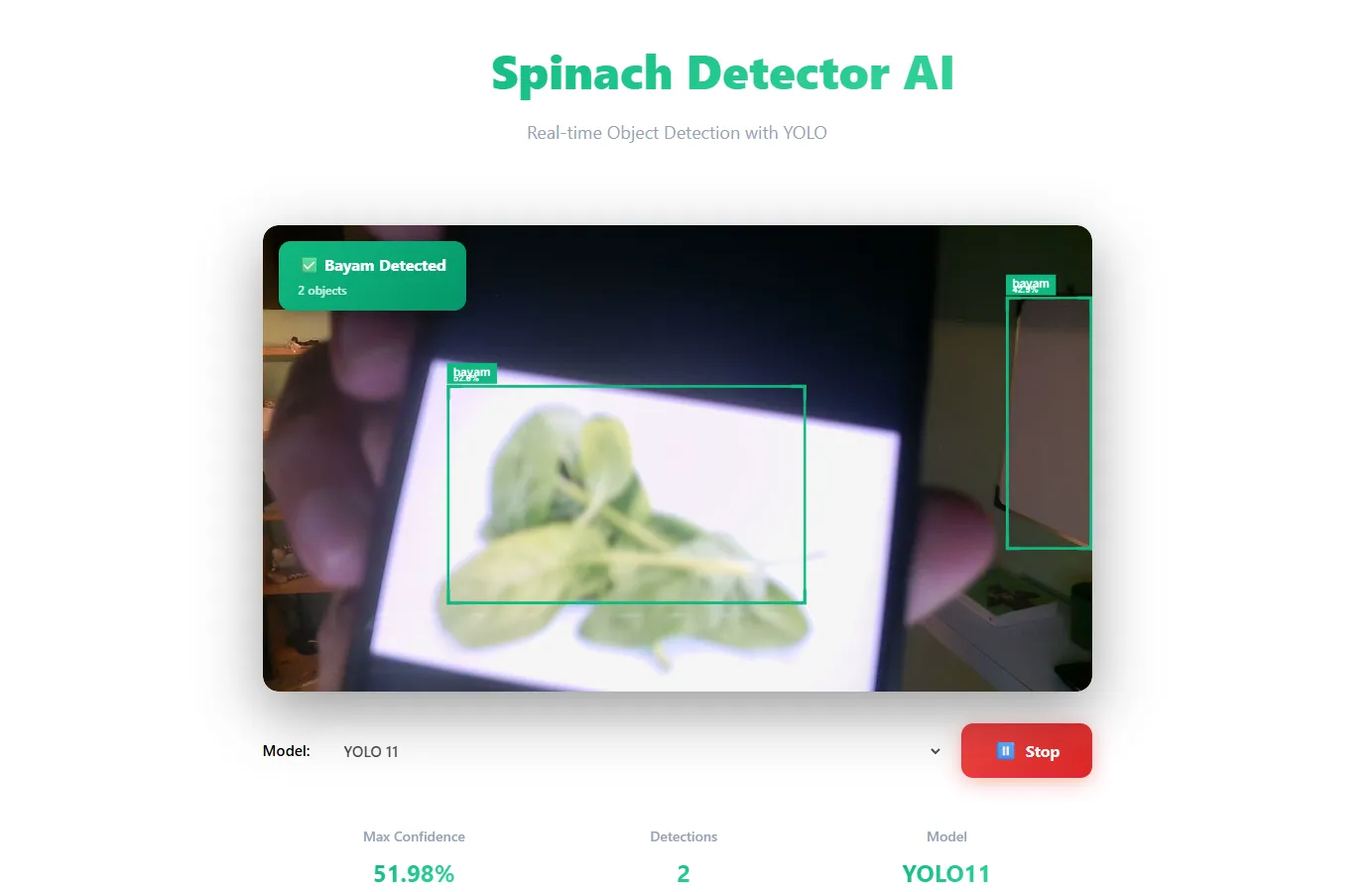
The Spinach Detector project initially seemed simple:
👉 "Detect whether an image or camera feed contains spinach or not."
In practice, however, this project turned into a real lesson on resource limitations, ML deployment, and the reality of real-time object detection on the web.
This repo didn't end with a perfect cloud deployment,
but rather ended with a much more mature understanding.
🎯 Initial Project Goals
The main goal of this project was actually not production:
-
demonstration of YOLO-based object detection
-
real-time detection via web camera
-
demo and presentation purposes on campus
-
exploration of YOLOv9 and YOLOv11
Functionally:
-
backend: Flask + YOLO
-
frontend: Web camera + canvas overlay
-
models: YOLOv9 & YOLOv11 (custom spinach dataset)
🧱 First Problem: Massive Docker Image
When trying to containerize the application, the first problem immediately surfaced.
❌ Docker Image = ±4GB
The main causes:
-
YOLO
.ptmodels -
PyTorch + CUDA dependencies
-
OpenCV, numpy, pillow
-
very heavy ML dependencies
The impact:
-
docker pulltook forever -
unrealistic for small servers
-
highly inefficient deployment
For a typical web app, this might be tolerable. But for real-time ML inference, this was a major red flag.
🖥️ Second Problem: Small Servers Can't Handle Real-Time Detection
The server used:
-
small CPU
-
limited RAM
-
no GPU
When the application started running and:
-
the camera was active
-
YOLO inference was running continuously
-
requests arrived every few hundred milliseconds
➡️ The server immediately overloaded
➡️ CPU spikes
➡️ RAM was exhausted
➡️ processes crashed
➡️ the server required repeated reboots
At this point, it was clear that:
Real-time object detection + a small server = a bad combination
🔄 Experiment: Migrating from .pt to ONNX
To reduce server load, another approach was attempted:
🎯 The Idea:
-
convert YOLO
.pt→.onnx -
hope: a lighter runtime
-
fewer dependencies
-
smaller Docker image
❌ The Reality:
-
bizarre detection results
-
inaccurate bounding boxes
-
multiple detections for a single object
-
chaotic coordinates
-
massive discrepancies between PyTorch vs. ONNX outputs
The main issues:
-
ONNX lacks auto-NMS (Non-Maximum Suppression)
-
YOLO ONNX output formats vary
-
preprocessing & postprocessing must be written manually
-
one small mistake → the results break completely
Instead of simplifying, ONNX actually:
increased complexity and the risk of bugs
🔙 Back to Basics: Stick to .pt, Run Locally
After several iterations and experiments, the final decision was made:
-
❌ no Docker
-
❌ no cloud server deployment
-
❌ no real-time via cloud
-
✅ use YOLO
.pt -
✅ run locally
-
✅ sufficient for demos and learning
And in the context of this project,
this was the most sensible decision.
🧠 Important Lessons from This Project
1️⃣ Real-Time Object Detection is Expensive
Real-time detection via camera:
-
isn't just about the model
-
but about:
-
CPU
-
RAM
-
IO
-
concurrency
-
frame rate
-
request frequency
-
This is not a lightweight workload.
2️⃣ ML on Server ≠ ML on Device
A big difference:
-
real-time server inference → resource heavy
-
model on device (mobile / edge) → far more efficient
That's why:
-
camera apps on phones feel lightweight
-
but inference servers overload quickly
Because:
the model is embedded directly on the device, not called via HTTP continuously
3️⃣ ONNX is Not a Magic Bullet
ONNX is powerful, but:
-
not plug-and-play
-
requires understanding of output formats
-
NMS must be manual
-
preprocessing must be precise
Without this:
the results might "run," but they are logically incorrect
4️⃣ Web + Real-Time AI = Many Expensive Layers
Real-time AI on the web isn't just about the backend:
-
browser camera access
-
canvas rendering
-
request loops
-
latency
-
bandwidth
-
server resources
All these costs stack up.
🧾 Conclusion
The Spinach Detector project might not have ended with a stable cloud deployment, but it yielded something more valuable:
a realistic understanding of the limitations of real-time object detection on the web.
Not every project needs to be:
-
scalable
-
cloud-ready
-
production-grade
Sometimes:
-
running locally is enough
-
being sufficient for a demo is enough
-
being sufficient for learning is enough
And knowing when to stop optimizing is a crucial part of becoming a mature engineer.
🔗 Resources & Links
-
GitHub Repo
https://github.com/daffa09/spinach-detector -
Google Colab — YOLOv9 Training
https://colab.research.google.com/drive/1F43i2TkWXIefNw2KuiO1pMnAmc4pKmuZ?usp=sharing -
Google Colab — YOLOv11 Training
https://colab.research.google.com/drive/1ahSpgDHbQJqJuPKEcyajPbtrDvT1P-3I?usp=sharing
🧠 Closing
This project wasn't really about "detecting spinach."
It was about learning real-world system limitations.
And that is a lesson far more valuable than just an accurate model.