Portofolio Pertama
My first portfolio website with simple layout built with HTML, CSS, and JavaScript
Share this project:
Project Overview
My First Portfolio (Portofolio Pertama)
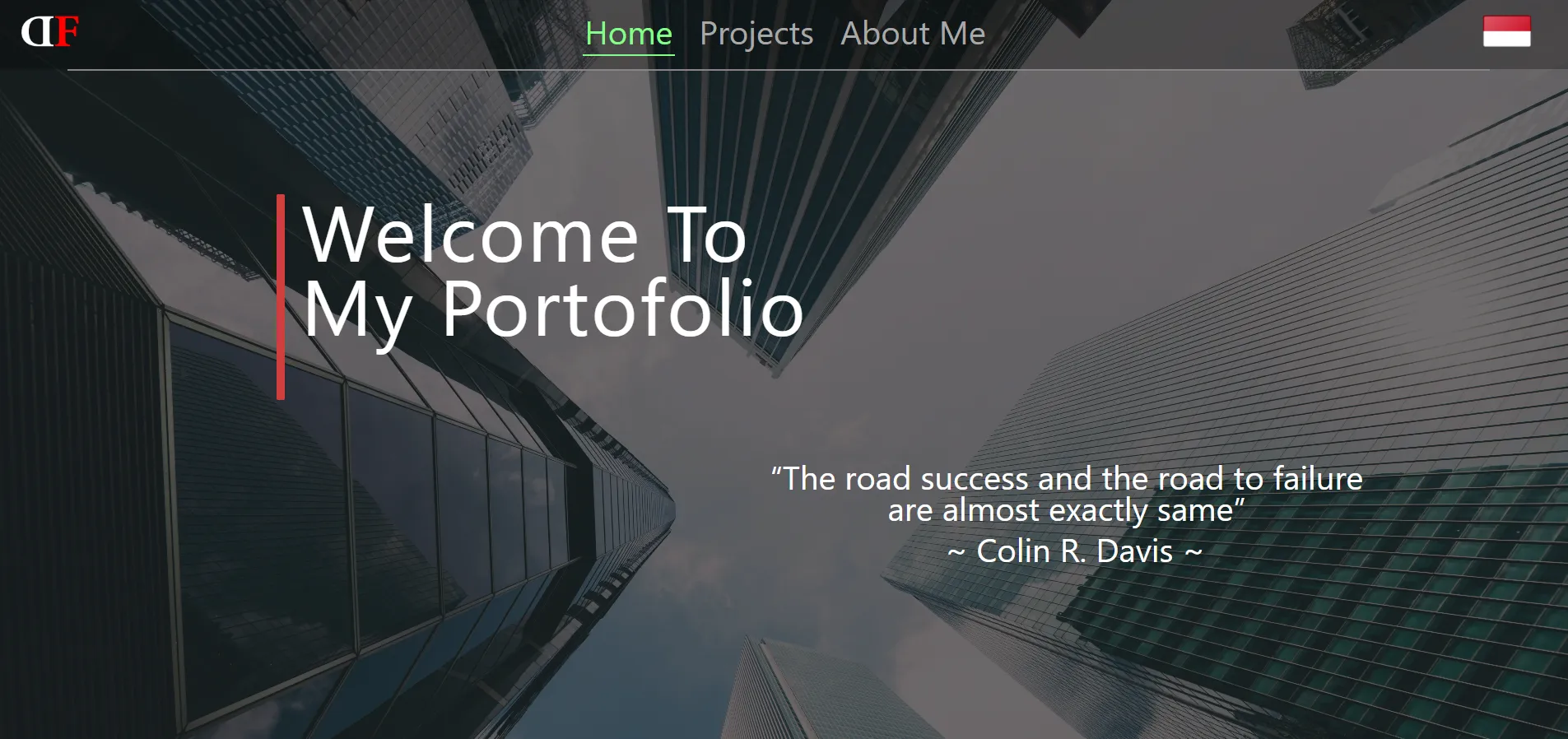
My very first portfolio website, showcasing the beginning of my web development journey. Built with pure HTML, CSS, and JavaScript, this simple yet meaningful project represents an important milestone in my learning path.
📋 Overview
This is daffafathan-portofolio.github.io - my first ever portfolio website created with a simple layout but meaningful content. It served as my introduction to web development and portfolio presentation.
✨ Features
- Simple Layout: Clean, easy-to-navigate design
- Personal Information: About me section
- Projects Showcase: Display early projects
- Contact Section: Ways to reach me
- Responsive Design: Works on various devices
- GitHub Pages Hosting: Free static hosting
🛠️ Technologies Used
- HTML5: Page structure
- CSS3: Styling and layout
- JavaScript: Interactive elements
- GitHub Pages: Hosting platform
📁 Project Structure
portofolio-pertama/
├── index.html          # Homepage
├── about.html          # About me page
├── projects.html       # Projects showcase
├── assets/
│   ├── css/
│   │   └── style.css  # Main stylesheet
│   ├── js/
│   │   └── script.js  # JavaScript file
│   └── img/           # Images and icons
├── loader.gif          # Loading animation
├── project/            # Project files
└── _config.yml        # GitHub Pages config
🚀 Getting Started
Viewing Online
This portfolio is hosted on GitHub Pages:
https://daffafathan-portofolio.github.io
Running Locally
-
Clone Repository
git clone https://github.com/yourusername/daffafathan-portofolio.github.io.git -
Open in Browser
- Simply open
index.htmlin your browser - Or use a local server:
# Using Python python -m http.server 8000 # Using Node.js npx http-server # Using VS Code Live Server Right-click index.html → Open with Live Server - Simply open
-
View the Portfolio
http://localhost:8000
💻 Pages
Homepage (index.html)
- Welcome message
- Brief introduction
- Quick navigation links
- Featured content
About Page (about.html)
- Personal background
- Skills and interests
- Learning journey
- Goals and aspirations
Projects Page (projects.html)
- Showcase of early projects
- Project descriptions
- Technologies used
- Links and demos
🎨 Design Elements
- Color Scheme: Simple and professional
- Typography: Clean, readable fonts
- Layout: Grid-based responsive layout
- Images: Optimized for web
- Animations: Subtle transitions
- Icons: Font Awesome or custom
📝 Sections
Header
- Portfolio title/logo
- Navigation menu
- Responsive mobile menu
Hero Section
- Welcome message
- Brief tagline
- Call-to-action button
About Section
- Personal introduction
- Skills list
- Background information
Projects Section
- Project cards
- Descriptions
- Links to live demos/repos
Contact Section
- Social media links
- Contact form (if included)
Footer
- Copyright information
- Additional links
- Social icons
🌐 Deployment
GitHub Pages Setup
-
Create Repository
- Name:
username.github.io - Initialize with README
- Name:
-
Push Code
git add . git commit -m "Initial portfolio" git push origin main -
Enable GitHub Pages
- Settings → Pages
- Source: main branch
- Save
-
Access Portfolio
https://username.github.io
🔧 Customization
Updating Content
Personal Info:
<div class="about">
    <h1>Your Name</h1>
    <p>Your introduction here</p>
</div>
Adding Projects:
<div class="project-card">
    <img src="project-image.jpg" alt="Project">
    <h3>Project Title</h3>
    <p>Project Description</p>
    <a href="demo-link">View Project</a>
</div>
Styling
Edit assets/css/style.css:
:root {
    --primary-color: #yourcolor;
    --secondary-color: #yourcolor;
    --font-family: 'Your Font', sans-serif;
}
🎓 What I Learned
Building this first portfolio taught me:
- HTML Structure: Semantic markup and page organization
- CSS Styling: Layouts, colors, and responsive design
- JavaScript Basics: DOM manipulation and events
- Git & GitHub: Version control and deployment
- Web Hosting: GitHub Pages configuration
- Portfolio Presentation: How to showcase work effectively
💭 Reflections
"My first portfolio with simple layout"
This was my first attempt at creating a professional online presence. While simple, it represents an important step in my journey as a developer. It taught me not just technical skills, but also how to present my work and tell my story.
🚀 Evolution
Since creating this first portfolio, I've:
- Built more complex applications
- Learned modern frameworks
- Improved design skills
- Enhanced coding practices
- Developed better projects
This portfolio will always hold a special place as where it all began.
🔄 Future Updates
If I were to rebuild this now, I would:
- Use modern CSS frameworks (Tailwind, Bootstrap)
- Add animations (GSAP, Framer Motion)
- Implement dark mode
- Use a static site generator (Next.js, Gatsby)
- Add a blog section
- Improve SEO
- Add analytics
🤝 For Beginners
If you're creating your first portfolio:
- Start Simple: Don't overcomplicate
- Be Authentic: Show your real work
- Focus on Content: What matters most
- Make it Personal: Let your personality shine
- Keep it Updated: Add new projects regularly
- Get Feedback: Ask others to review
- Iterate: Your first version doesn't have to be perfect
📄 License
Open source and available for learning reference.
🌟 Message to Future Developers
Everyone starts somewhere. This simple portfolio was my start. Don't be afraid to show your work, even if it's simple. Every expert was once a beginner. Keep building, keep learning, and never stop growing!
My First Step in Web Development 🚀💼
Simple layout, meaningful beginning!