Odeng POS System
Point of Sale system built with Laravel 10 featuring product management, order processing, and customer tracking
Share this project:
Project Overview
POS System Using Laravel
A comprehensive Point of Sale (POS) system built with Laravel 10, designed for retail businesses to manage products, process orders, and track customers efficiently. Features a modern interface with real-time inventory management and detailed reporting capabilities.
📋 Overview
This POS (Point of Sale) system provides a complete solution for retail stores, restaurants, and small businesses to manage their daily operations. Built with Laravel 10 and modern frontend tools, it offers an intuitive interface for quick order processing, inventory management, and customer relationship management.
✨ Features
Order Management
- Quick POS Interface: Fast product selection and checkout
- Real-time Cart: Dynamic cart with quantity adjustments
- Multiple Payment Methods: Cash, card, and digital payments
- Order History: Complete transaction records
- Receipt Printing: Generate printable receipts
Product Management
- Product CRUD: Complete product lifecycle management
- Categories: Organize products by categories
- Inventory Tracking: Real-time stock level monitoring
- Barcode Support: Quick product lookup
- Product Images: Visual product identification
- Price Management: Flexible pricing options
Customer Management
- Customer Database: Maintain customer information
- Purchase History: Track customer transactions
- Loyalty Points (if implemented): Reward regular customers
- Customer Search: Quick customer lookup
Reporting & Analytics
- Sales Reports: Daily, weekly, monthly sales summaries
- Product Performance: Best-selling products
- Revenue Analytics: Income tracking and trends
- Inventory Reports: Stock levels and movements
User Management
- Role-based Access: Admin and cashier roles
- User Authentication: Secure login system
- Activity Logs: Track user actions
- Multi-user Support: Multiple cashiers simultaneously
🛠️ Tech Stack
| Technology | Purpose |
|---|---|
| Laravel 10 | Backend framework |
| PHP 8.1+ | Server-side language |
| MySQL | Database management |
| Tailwind CSS | Modern styling framework |
| Alpine.js | Lightweight JavaScript framework |
| Vite | Asset bundling and HMR |
| Livewire (if used) | Dynamic interfaces |
📁 Project Structure
odeng-pos/
├── app/
│   ├── Http/Controllers/      # Request handlers
│   ├── Models/                # Eloquent models
│   └── Services/              # Business logic
├── database/
│   ├── migrations/            # Database schema
│   └── seeders/              # Sample data
├── resources/
│   ├── views/                # Blade templates
│   ├── js/                   # JavaScript files
│   └── css/                  # Stylesheets
├── public/                   # Public assets
├── routes/
│   └── web.php              # Application routes
└── storage/                  # Uploaded files
🚀 Getting Started
System Requirements
For detailed system requirements, check Laravel 10 Server Requirements:
- PHP >= 8.1
- MySQL >= 5.7
- Composer
- Node.js & NPM
- Web server (Apache/Nginx)
Installation Steps
-
Clone the Repository
git clone https://github.com/angkosal/laravel-pos.git YourDirectoryNameReplace
YourDirectoryNamewith your preferred folder name. -
Navigate to Project Directory
cd YourDirectoryName -
Install PHP Dependencies
Laravel uses Composer for dependency management:
composer install -
Environment Configuration
Rename or copy the example environment file:
cp .env.example .envThen:
-
Generate application key:
php artisan key:generate -
Set database credentials in
.env:DB_CONNECTION=mysql DB_HOST=127.0.0.1 DB_PORT=3306 DB_DATABASE=your_database_name DB_USERNAME=your_username DB_PASSWORD=your_password -
Set your
APP_URL:APP_URL=http://localhost:8000
-
-
Database Setup
Run migrations to create database tables:
php artisan migrateSeed the database with initial data and admin user:
php artisan db:seedDefault Admin Credentials:
- Email:
admin@gmail.com - Password:
admin123
- Email:
-
Install Node Dependencies
npm installBuild assets:
- For development:
npm run dev- For production:
npm run build
-
Create Storage Link
Link public storage for file uploads:
php artisan storage:link -
Run the Application
php artisan serveOr use Laravel Homestead/Valet for local development.
-
Access the System
Open your browser and visit:
http://localhost:8000Login with admin credentials:
- Email:
admin@gmail.com - Password:
admin123
- Email:
💻 Usage Guide
Login
- Navigate to the application URL
- Enter admin credentials
- Access the dashboard
Processing Orders (POS Interface)
- Click "New Order" or "POS" menu
- Select products by searching or browsing
- Add items to cart
- Adjust quantities if needed
- Select customer (optional)
- Choose payment method
- Complete transaction
- Print receipt
Managing Products
- Go to "Products" menu
- Click "Add Product" for new items
- Enter product details:
- Name
- SKU/Barcode
- Category
- Price
- Stock quantity
- Image
- Save product
Managing Customers
- Navigate to "Customers"
- Add new customer with details
- View customer purchase history
- Edit customer information
Viewing Reports
- Access "Reports" dashboard
- Select report type
- Choose date range
- Generate and export reports
📸 Screenshots
Product List
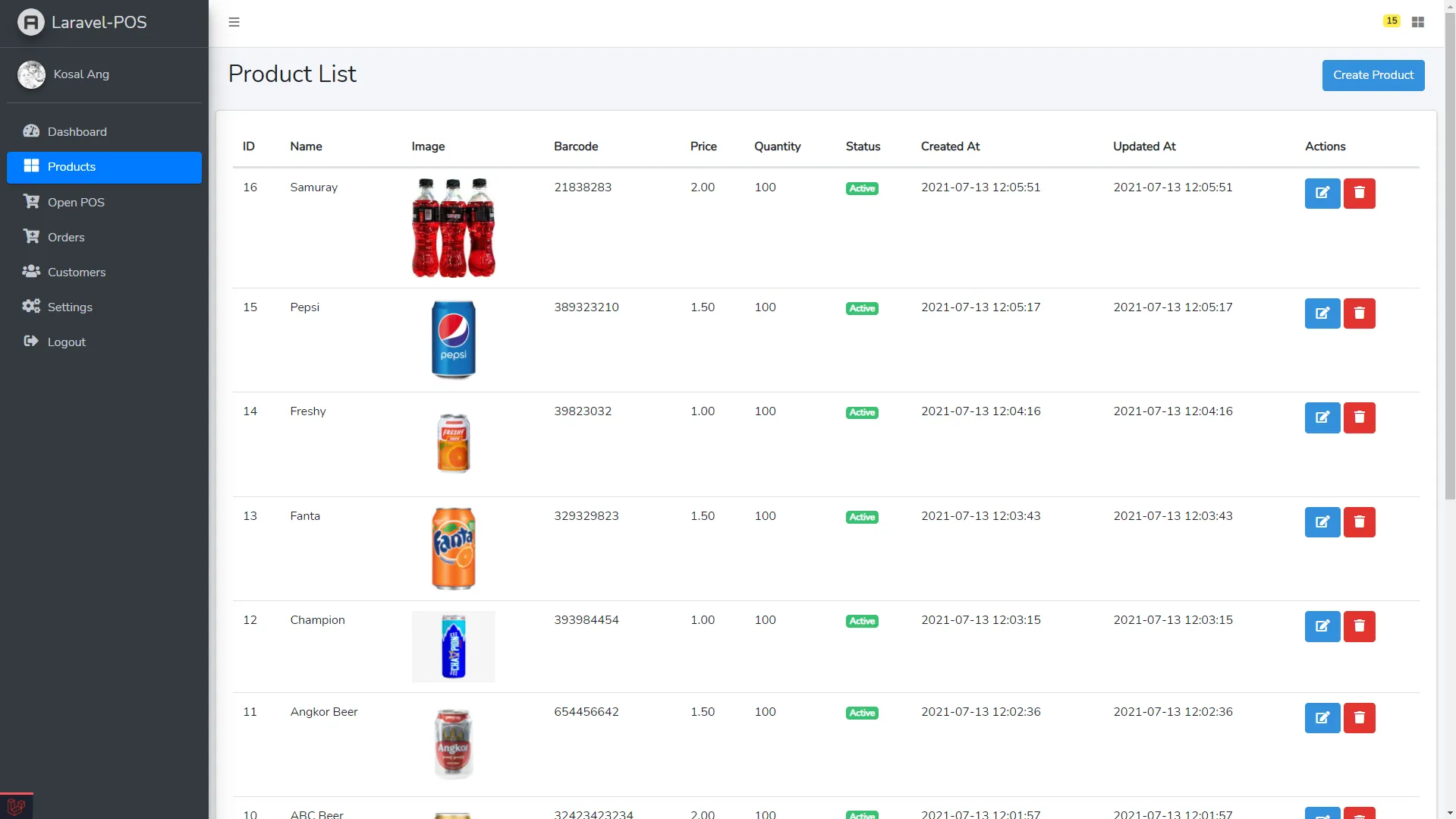
Comprehensive product management interface with search, filter, and bulk actions.
POS Interface (Create Order)
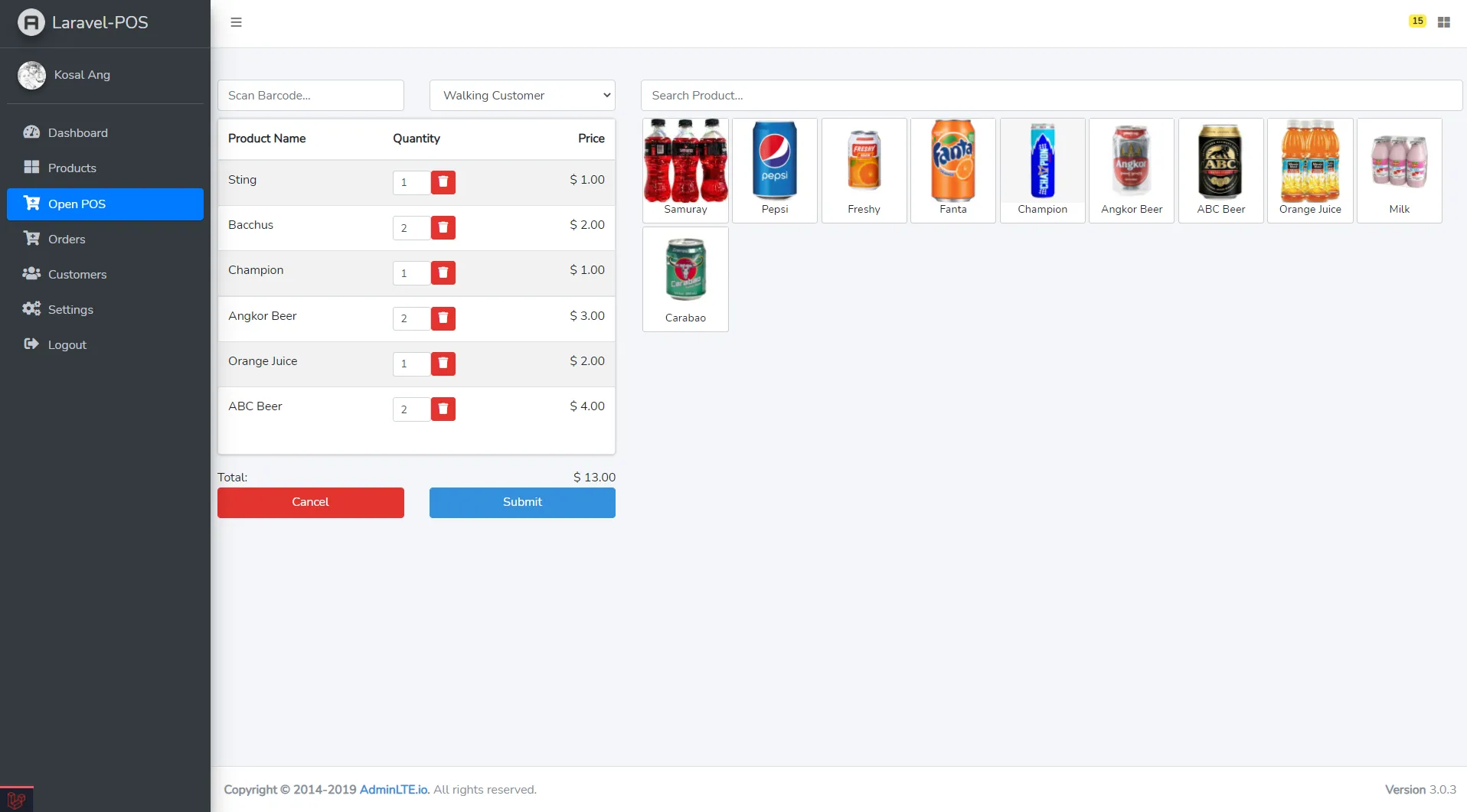
Quick and intuitive point-of-sale interface for fast checkout.
Order List
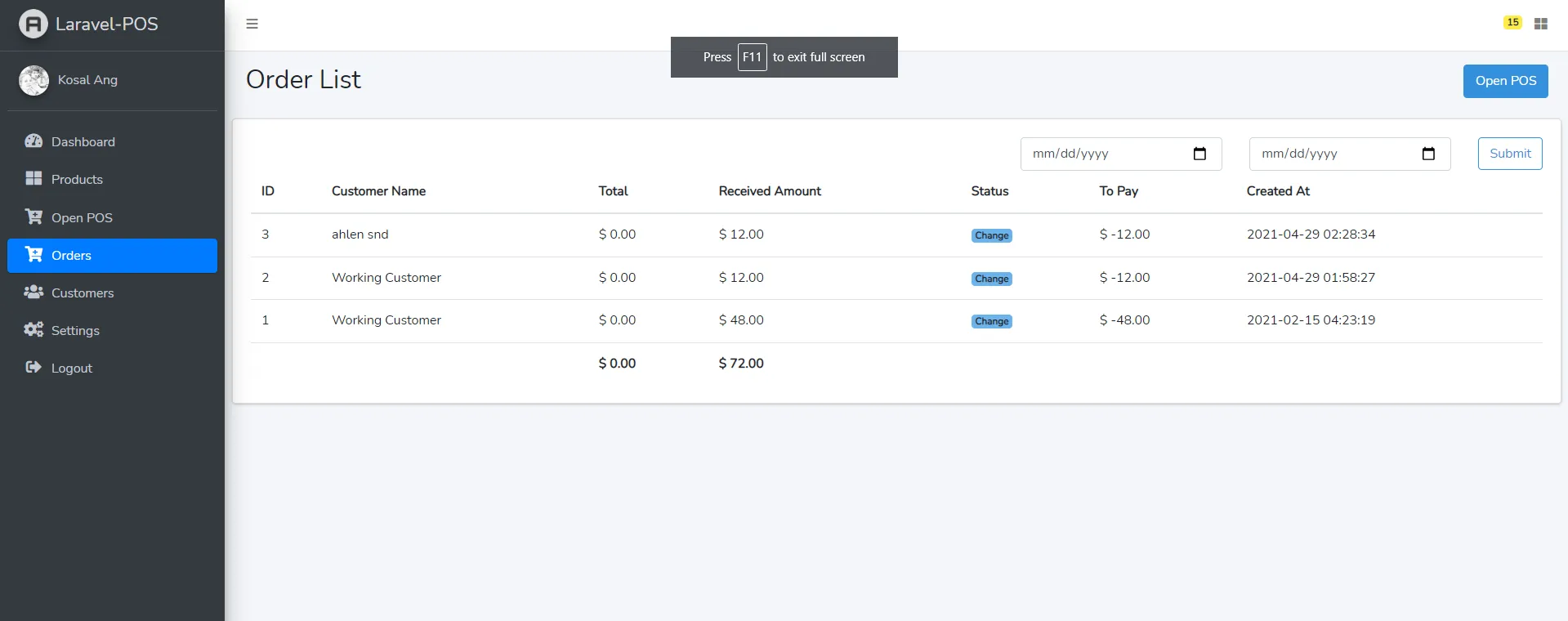
Complete order history with status tracking and search capabilities.
Customer List
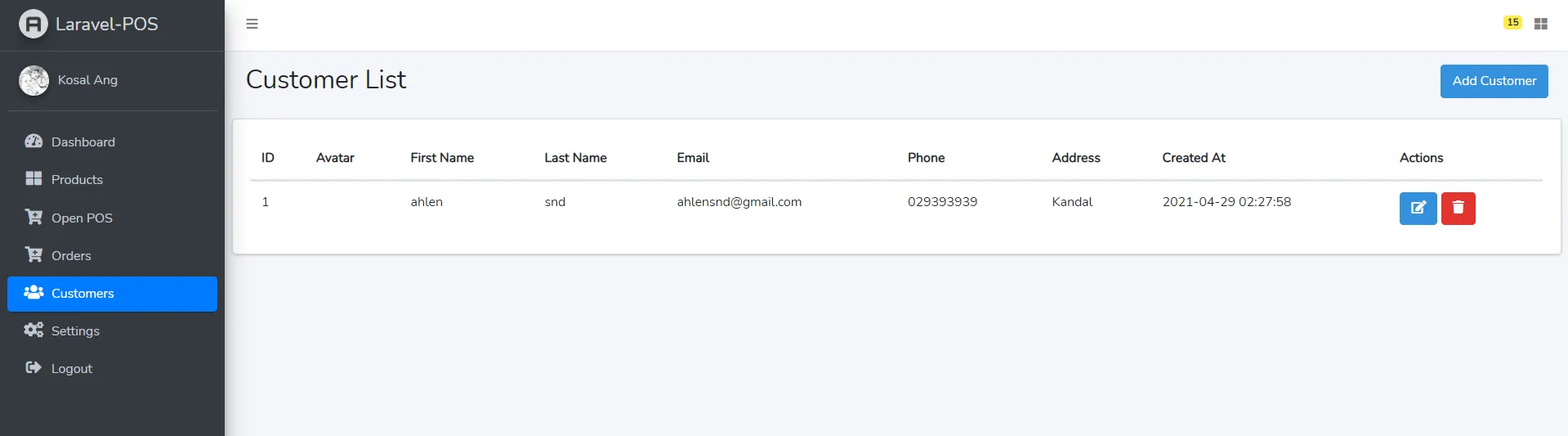
Customer database management with purchase history.
🗄️ Database Schema
Key Tables
products
- id, name, sku, category_id
- price, cost, stock
- image, description
- created_at, updated_at
orders
- id, order_number, customer_id
- total_amount, payment_method
- status, created_at
order_items
- id, order_id, product_id
- quantity, price, subtotal
customers
- id, name, email, phone
- address, created_at
🔒 Security Features
- Authentication and authorization
- CSRF protection
- SQL injection prevention
- XSS protection
- Password hashing (BCrypt)
- Secure session management
🐛 Troubleshooting
Installation Issues
- Ensure PHP version >= 8.1
- Check Composer is installed
- Verify database credentials
Assets Not Loading
- Run
npm run build - Clear cache:
php artisan cache:clear - Check file permissions
Database Errors
- Verify
.envdatabase settings - Ensure database exists
- Check user permissions
🚀 Deployment
Production Deployment
-
Optimize Application
composer install --optimize-autoloader --no-dev php artisan config:cache php artisan route:cache php artisan view:cache npm run build -
Set Environment
APP_ENV=production APP_DEBUG=false -
Configure Web Server
- Point document root to
public/folder - Enable mod_rewrite (Apache)
- Configure PHP-FPM (Nginx)
- Point document root to
📚 Resources
🤝 Contributing
Contributions are welcome! Please feel free to submit pull requests or open issues for bugs and feature requests.
📄 License
This project is open source. Please check the repository for license details.
🙏 Acknowledgments
Special thanks to all contributors and the Laravel community for making this project possible.
💡 Support
If you find this project helpful, consider supporting the development!

Built with Laravel 🛒💳
A Complete Point of Sale Solution for Modern Businesses!